
WikiWise Mobile AI Integration
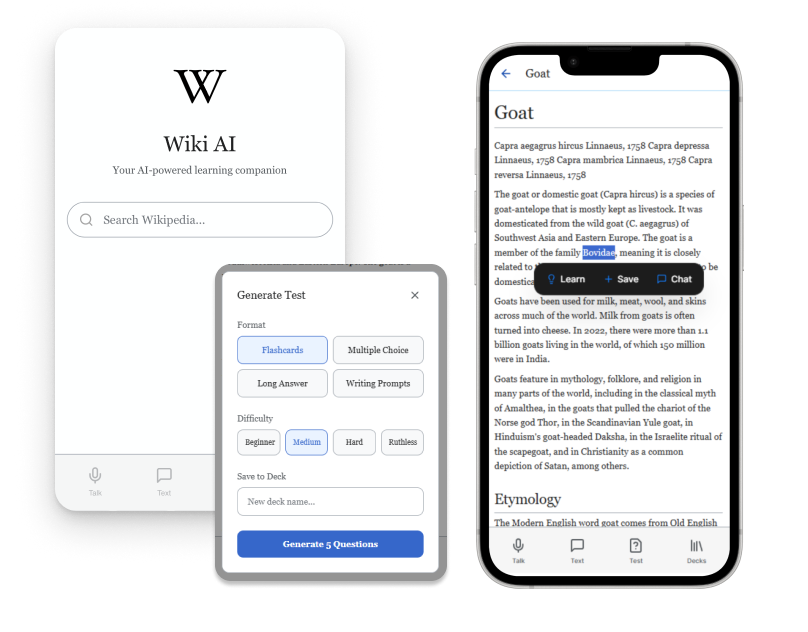
WikiWise is a concept redesign of Wikipedia's mobile app, adding an AI layer that transforms passive reading into active learning.



-
Large Knowledge Base
The stigma surrounding Wikipedia (once considered an unreliable source of information) has reduced due to consistency of content. It is now a large knowledge base with in depth
High potential for personalization
Because of the volume of information and the simple structure, users can easily find and select a certain aspect of a certain topic that aligns with their current study path
Guided learning paths
User can move through an in-depth breakdown of a specific topic and seek further knowledge on each area -
1. Visual Hierarchy & Aesthetic Minimalism
Heuristic: Aesthetic and Minimalist Design
Issue: Cluttered sidebar with 20+ navigation links, dense text blocks, competing visual elements
Fix: Simplify sidebar, improve white space
2. Navigation Consistency & Discoverability
Heuristic: Consistency and Standards
Issue: Inconsistent article structures, hidden navigation patterns (app)
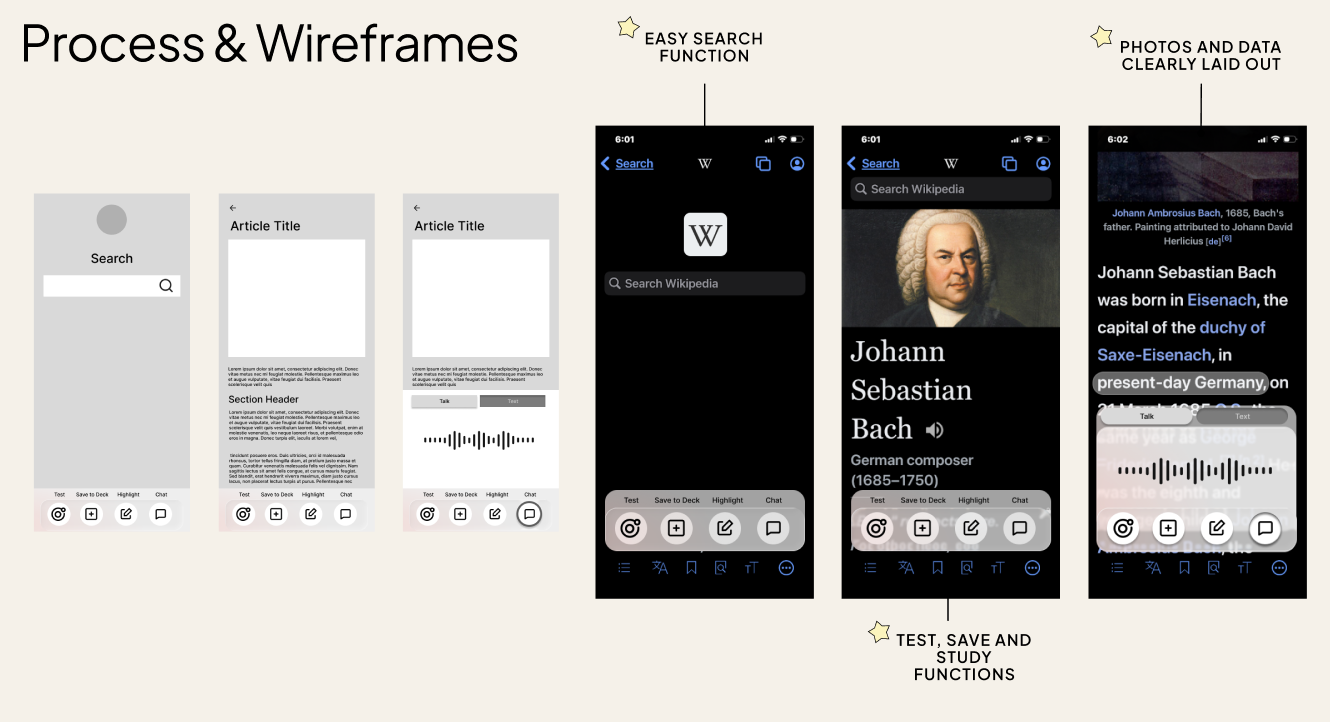
Impact: Users can't predict where information lives, no save functions
Fix: Standardize article templates, make navigation patterns predictable
3. Flexibility of use
Heuristic: Flexibility and Efficiency of Use
Issue: Can't organize saved articles into folders/topics, no tags, can't create study sets
Impact: Hard to use as a study base, hard to identify previous specific content viewing
Fix: Folders/collections, tagging system, custom study lists -
Aimless Browsing
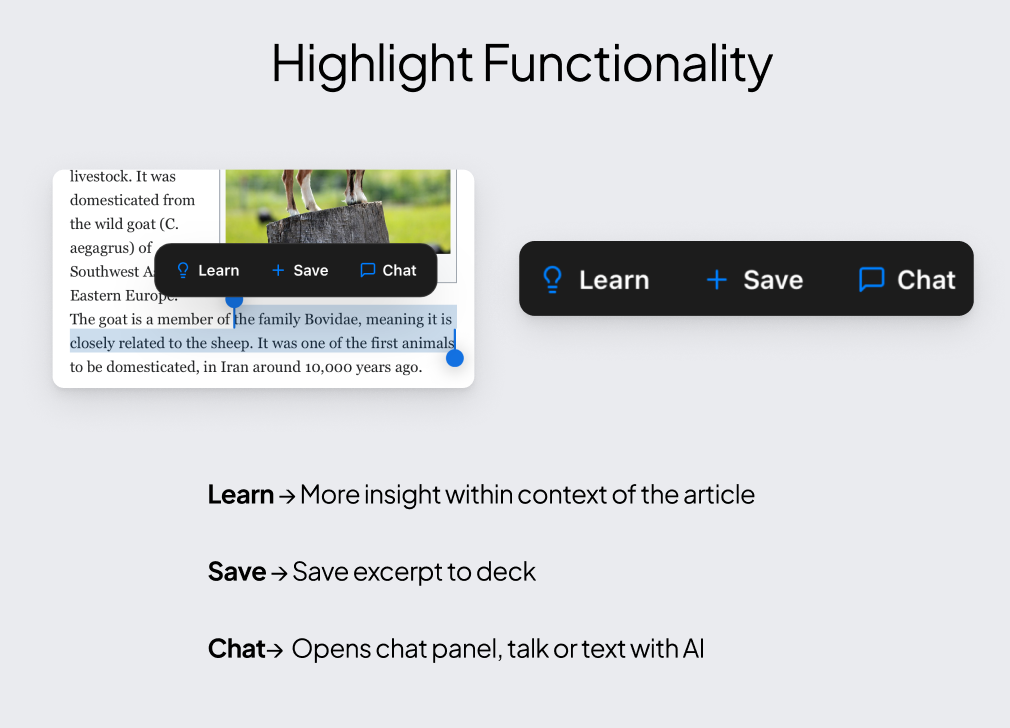
Can’t save quotes or sections from specific articles
"See Also" sections and random suggestions don't match their interests or learning goals
Barriers on Complex Topics
Dense, academic writing with technical jargon makes articles inaccessible to general audiences.
Users encounter unfamiliar terms but have no way to get quick explanations without opening multiple tabs
No Progress Tracking
Users can't track what they've read, what they've learned, or what to review next. There's no way to measure knowledge growth, save study materials in an organized way -
Benefits
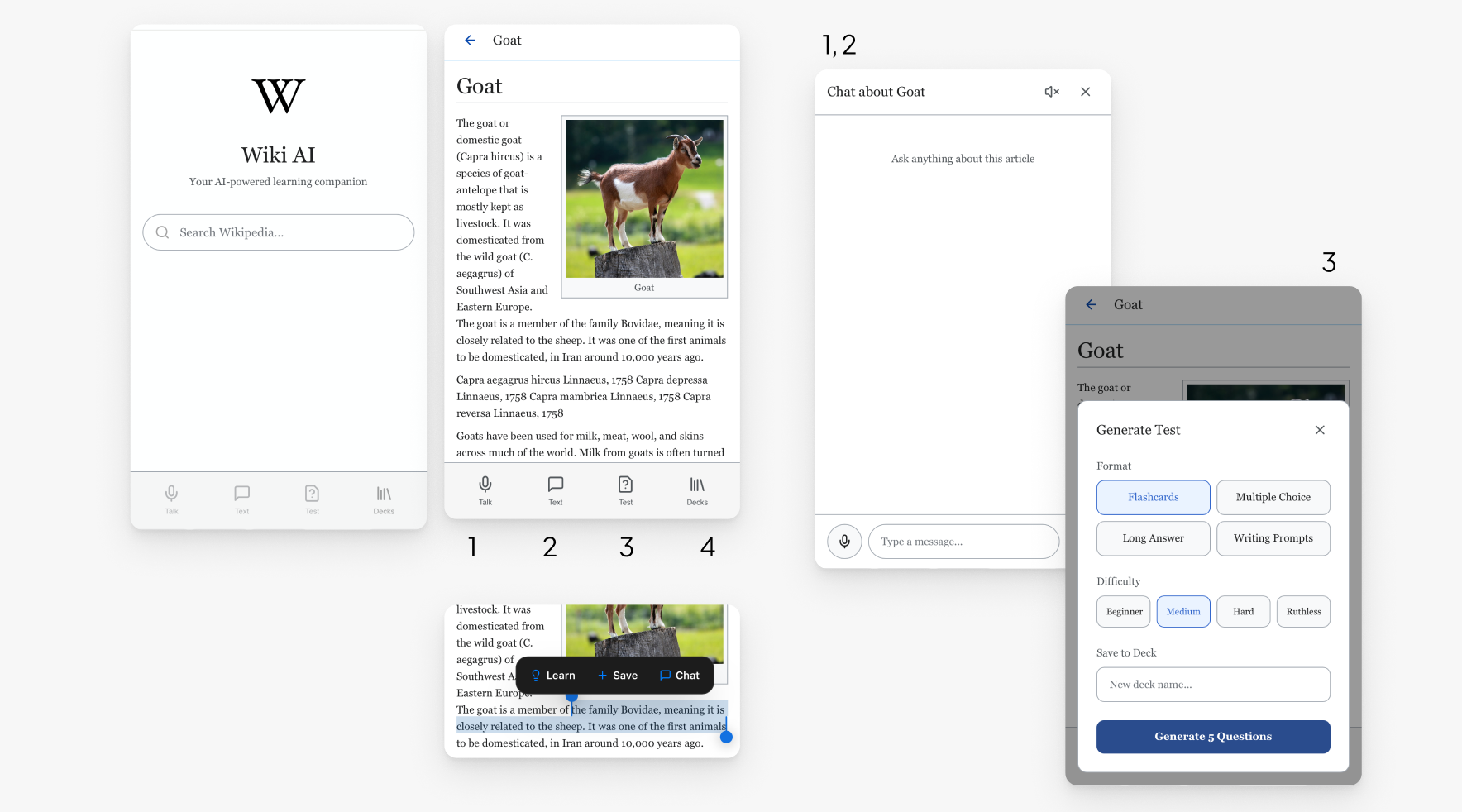
Get instant AI explanations without leaving WikipediaIntegration
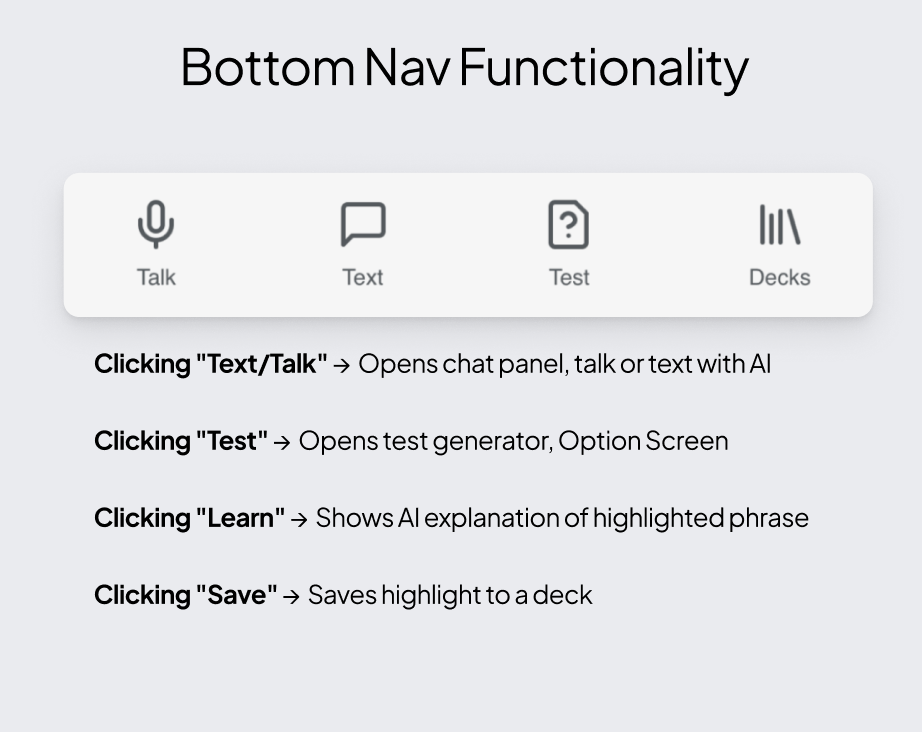
Generate quiz questions from any section
Matches Wikipedia's clean design and colour paletteControl
Tools appear only when needed, touchscreen and click functionality following convencions
Gives the user control over organizing large amounts of data in ways that suit their personal study/browsing habits -
Text & Talk
Now users can ask questions and learn more without having to leave the pageSave & Study
Now users can save specific insights, phrases, or excerpts and test themselves later
Personal Findings
Designing an AI layer into an existing product taught me more about restraint than invention. Every feature had to earn its place. WikiWise also reinforced that accessibility and personalization aren't opposites, and that the gap between a frustrating experience and a great one is often just giving users the right control at the right moment.